
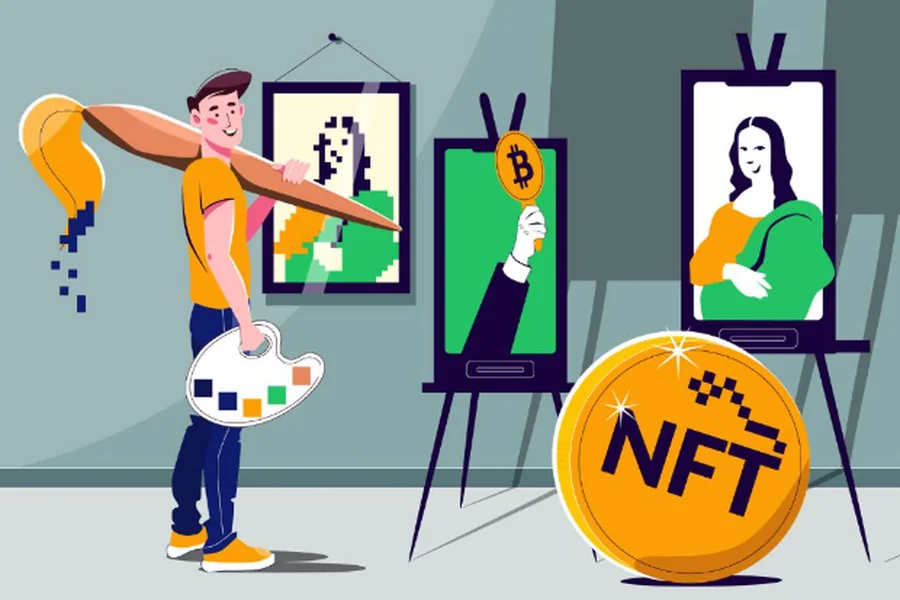
NFT collections live or die on trait variety, and pixel art has become one of the dominant visual styles for PFP and generative-art drops because its blocky grid structure makes trait-swapping and rarity math straightforward. This article evaluates six AI Pixel Art Generators against four criteria: output quality at true pixel resolution, compatibility with layer-based combination tools like HashLips Art Engine, free-tier usability, and integration with a broader creative pipeline. Each tool’s capabilities were confirmed against its own official product documentation and pricing pages rather than secondhand reviews, with testing focused on generating characters and trait assets suitable for a generative NFT drop. Of the six tools compared, Adobe Firefly’s Pixel Art Generator is the strongest starting point for most NFT creators, since it pairs commercially safe output with a direct handoff into Photoshop and Illustrator for the layer prep that HashLips and similar engines require.
| Tool Name | Free Tier | Platform | Best For | Resolution / Style Options | Standout Feature |
| Adobe Firefly | Yes, outputs scale up to 2000x2000px, not fixed low-res sprite sizes | Web, Windows, Mac (via Photoshop/Illustrator) | NFT creators who want a fast, commercially safe base image without installing pixel-art software | Pixel art effect combinable with Simple, Vibrant Colors, and era presets | Commercially safe output with direct handoff to Photoshop and Illustrator |
| HashLips Art Engine | Yes, free and open source, no generation cap | Windows, Mac (runs locally via Node.js) | Collection creators combining existing trait layers into a full NFT drop with metadata | Unlimited layer combinations based on uploaded assets | DNA-hash deduplication so no two combinations repeat |
| Retro Diffusion | Yes, 20 free credits, no credit card required | Web | Solo NFT artists who need true native-resolution pixel art, not an upscaled filter | Native 64×64 or 128×128, isometric or 2D flat | Built-in editor plus sprite sheet and GIF export with FPS control |
| Scenario | Limited, capped monthly credits, not enough for full collection production | Web | Studios producing large collections that need one locked, custom-trained house style | Custom model trained on 20-30 uploaded reference images | Composition Control and Pixel-Perfect Inpainting |
| PixelLab | Yes, free trial with limited generations, no card required | Web | Projects needing automatic directional character variants instead of hand-drawn rotations | Tier 1: up to 320x320px; Tier 2: up to 400x400px | One-click 4- and 8-directional sprite rotation |
| Sprite AI | Yes, 15 free generations, no card required | Web | Creators who want a guided prompt-to-animation flow for a single trait | True sprite sizes from 16×16 to 128x128px | Palette transfer applies one trait’s exact colors to another |
Adobe Firefly
Adobe Firefly’s Pixel Art Generator turns any prompt or reference photo into a grid-styled image using a dedicated Pixel art effect, then lets creators open that result directly in Photoshop or Illustrator to prep trait layers for an NFT collection. It’s one of the more accessible AI Pixel Art Generators for creators who don’t want to install separate pixel-art software before starting a trait set.
Key Features
- The Generate Image tool includes a dedicated Pixel art effect in the Effects panel, combinable with presets like Simple or Vibrant Colors for a different look.
- Accepts an uploaded reference photo (JPEG, PNG, or WEBP up to 100MB) and applies the Pixel art effect guided by a text prompt.
- Output resolution scales up to 2000×2000 pixels rather than a fixed low-resolution sprite grid, which suits marketing and collectible art more than tight in-engine sprite sizes.
- Content generated with Firefly models is commercially safe, which matters for client-facing or brand-tied NFT drops.
- One-click “Open copy in Photoshop” and “Open copy in Illustrator” handoff for further trait layering.
Pricing
The Pixel art effect is free to use within a standard Firefly account’s generation allotment. The tradeoff for free access is a feature gate rather than a credit cap: outputs scale up to 2000×2000 pixels and there’s no way to specify an exact low-resolution grid size like 32×32, so trait art often needs to be resized down before it’s collection-ready.
Platforms: Web, with desktop handoff to Photoshop and Illustrator on Windows and Mac.
Best for: NFT creators who want a fast, AI pixel art generator that’s commercially safe and doesn’t require installing separate pixel-art software before building a trait set.
HashLips Art Engine
HashLips Art Engine is a free, open-source Node.js tool that layers trait folders together to generate every unique combination in an NFT collection along with a metadata.json file, and it works with pixel art exported from any AI generator. Unlike the other tools in this guide, it doesn’t generate art itself, it combines art you’ve already made.
Key Features
- Reads layer folders (background, body, eyes, accessories) and assigns each asset a rarity weight through a filename suffix, such as element#70.png.
- Outputs a full numbered edition set (1.png, 2.png, and so on) plus a metadata.json describing every trait combination for each token.
- DNA-hash deduplication ensures no two generated combinations in the collection are identical.
- A configurable rarityDelimiter variable in src/config.js lets creators change the # symbol used in rarity weighting.
Pricing
Entirely free and open source with no generation cap. The tradeoff is technical: it runs through Node.js rather than a visual interface, so it requires cloning the GitHub repository and running a build script from the command line.
Platforms: Windows, Mac (anywhere Node.js runs locally), there is no hosted web app version.
Best for: Collection creators who already have pixel art trait layers and need to batch-generate every unique combination with metadata for minting.
Retro Diffusion
Retro Diffusion is a browser-based AI pixel art generator built specifically to produce crisp, grid-aligned pixel art without the blur or anti-aliasing that upscaled filters introduce, making it one of the more purpose-built AI Pixel Art Generators for NFT trait work.
Key Features
- AI Generate mode outputs true native-resolution pixel art at 64×64 or 128×128 pixels, in isometric or 2D flat perspective, rather than an upscaled filter.
- A built-in Pixel Art Editor includes layers, blend modes, brushes, selections, and AI-powered generative fill for manual cleanup.
- Sprite sheet and animated GIF export with control over FPS, grid layout, and padding for animated trait pieces.
- A REST API and MCP integration allow automated batch generation pipelines for larger collections.
Pricing
Starts free with 20 credits and no credit card required, after which pay-as-you-go credit bundles or monthly plans apply.
Platforms: Web.
Best for: Solo NFT artists who need true low-resolution, grid-aligned pixel art rather than an upscaled pixel filter.
Scenario
Scenario is a generative AI platform built for game and NFT art teams that need one consistent house style repeated across hundreds of trait variations, rather than a single one-off image.
Key Features
- Trains a custom AI model on 20-30 uploaded reference images so every generated trait matches an existing collection’s style.
- Composition Control and Pixel-Perfect Inpainting tools allow precise edits to individual trait elements without regenerating the whole piece.
- An API-first design lets studios plug generation directly into a minting or production pipeline.
- Supports pixel art alongside stylized and photorealistic outputs from the same trained model.
Pricing
Plans range from roughly $20 to $200 per month depending on generation volume and model-training needs; the free plan is capped at a small number of monthly credits, which isn’t enough for full collection production.
Platforms: Web.
Best for: Studios producing large NFT collections that need a locked, custom-trained house style across every trait.
PixelLab
PixelLab is an AI pixel art generator built specifically for game developers, with directional rotation and skeleton-based animation as its standout capabilities for keeping an NFT character consistent across variations.
Key Features
- Single-click sprite rotation generates 4- or 8-directional views of one character, which helps keep trait art consistent across a collection.
- Skeleton-based and text-prompt animation tools generate walking, running, and attacking cycles from a static sprite.
- The Tier 1 plan, at $12 per month, supports images up to 320×320 pixels with animation tools and map generation.
- The Tier 2 plan, at $24 per month, raises the resolution cap to 400×400 pixels and adds a priority generation queue.
Pricing
A free trial with a limited number of generations is available with no credit card required, then paid tiers start at $12 per month.
Platforms: Web.
Best for: NFT projects that need automatic directional character variants instead of hand-drawn rotations.
Sprite AI
Sprite AI generates pixel art at true game-ready sprite sizes rather than a large illustration with a pixel filter applied, which makes it a practical option for NFT trait assets that need to stay small and grid-accurate.
Key Features
- Generates true sprite sizes from 16×16 to 128×128 pixels, so downloaded files are the real size rather than a scaled-down illustration.
- A built-in animator creates walk, run, idle, and attack cycles from a single static sprite.
- Palette transfer applies one trait’s exact color palette to another, which helps keep an entire NFT collection visually unified.
- Exports to PNG, sprite sheet, GIF, and atlas formats for different combination-tool requirements.
Pricing
A free tier includes 15 generations with no credit card required; paid plans run Creator at $8 per month, Studio at $24 per month, and Production at $50 per month.
Platforms: Web.
Best for: Creators who want a guided prompt-to-animation flow for turning a single pixel art trait into a full animated NFT asset.
How to Choose the Right AI Pixel Art Generators
If you need to combine finished art into a full NFT collection with rarity and metadata, prioritize a layering engine over a generator alone, HashLips Art Engine handles that batch combination step for art produced in Adobe Firefly or Retro Diffusion.
If you need true native pixel resolution instead of an upscaled pixel filter, prioritize a purpose-built pixel engine. Retro Diffusion and PixelLab both generate at fixed low-resolution grids rather than scaling a filter over a high-resolution image.
If your collection needs a locked, consistent house style across hundreds of trait variations, prioritize custom model training. Scenario’s 20-30 image training set keeps every generated trait visually consistent.
If budget is the deciding factor, prioritize tools with a genuinely usable free tier. Retro Diffusion’s 20 free credits and Sprite AI’s 15 free generations both let you test AI generated art output before combining anything into a collection.
Frequently Asked Questions
How do I combine AI generated art into an NFT collection using HashLips?
Generate your trait layers, background, body, eyes, accessories, in a tool like Adobe Firefly or Retro Diffusion, then export them as separate PNG files sorted into folders. HashLips Art Engine reads those folders, applies a rarity weight to each file name (like background#70.png), and outputs a full numbered edition set with a metadata.json describing every trait combination. The tool is free, runs locally through Node.js, and deduplicates DNA hashes so no two NFTs in the collection are identical.
What is the best free AI pixel art generator for NFTs in 2026?
Retro Diffusion offers 20 free credits with no credit card required, making it one of the more usable free entry points for true native-resolution pixel art at 64×64 or 128×128. Sprite AI’s free tier includes 15 generations, also without a card. Adobe Firefly’s Pixel art effect is free within a Firefly account’s standard generation allotment, though it outputs at up to 2000×2000 pixels rather than a fixed low-resolution sprite grid.
Can I generate pixel art from a photo for NFTs?
Yes. Adobe Firefly’s Generate Image tool accepts an uploaded reference photo (JPEG, PNG, or WEBP up to 100MB) and applies its Pixel art effect directly to that image, guided by a text prompt describing the desired transformation. This differs from Retro Diffusion or PixelLab, which generate pixel art natively from a text prompt at a fixed low resolution rather than filtering an existing photo.
Do I need coding skills to use HashLips Art Engine for an NFT drop?
Some comfort with the command line helps, since HashLips Art Engine runs through Node.js rather than a visual interface, you clone the GitHub repository, add layer folders, and run a build script. It has no monthly cost and no generation cap, but there’s no drag-and-drop web app version, so browser-based tools like Scenario or PixelLab are easier for creators who just need finished trait art rather than the combination step.
What’s the difference between AI pixel art generators and a tool like HashLips?
AI pixel art generators such as Adobe Firefly, Retro Diffusion, Scenario, PixelLab, and Sprite AI create individual images or trait assets from a text prompt or reference photo. HashLips Art Engine does not generate art at all, it takes finished trait layers you already made in one of those tools and combines them programmatically into a full NFT collection of unique combinations, complete with rarity weighting and metadata. Most real NFT pixel art pipelines use both: an AI generator for the art, then HashLips for the combination step.
Conclusion
Building a pixel art NFT collection in 2026 usually means pairing two different tools: something that generates the art, and something that combines it. Adobe Firefly, Retro Diffusion, Scenario, PixelLab, and Sprite AI cover the generation side at different price points and resolution controls, while HashLips Art Engine handles the free, code-based combination step that turns individual trait images into a full collection with rarity and metadata.
Of the AI Pixel Art Generators compared here, Adobe Firefly remains the strongest starting point for most creators because it’s free within a standard Firefly account, requires no software installation, and hands finished art directly into Photoshop or Illustrator for the trait prep that a combination tool like HashLips needs next.