The initial “wow factor” of generative AI has largely subsided for professional creators. We have moved past the phase where a single, high-fidelity image is enough to impress a client or anchor a project. Today, the bottleneck isn’t the ability to generate a beautiful asset; it is the ability to generate the right asset consistently, quickly, and within a workflow that doesn’t require jumping between half a dozen browser tabs.
For indie makers and prompt-first creators, the evaluation of a tool like Nano Banana Pro shouldn’t start with the quality of its best output. Instead, it should start with its worst-case scenario: how much time is lost when the model misses the mark? If an AI Image Editor requires twenty minutes of prompting to get a usable layout, it has already failed as a productivity tool, regardless of how many pixels it can push.
The Production Gap: Why Single Demos Are Deceptive
Social media is flooded with “one-hit wonders”—extraordinary images produced by generative models that are the result of hundreds of iterations and cherry-picked successes. In a production environment, this is known as the production gap. It is the distance between a recreational experiment and a repeatable output sequence.
Indie creators often work with limited time and cognitive bandwidth. When you are building a landing page, a pitch deck, or a social campaign, you don’t need a masterpiece that takes three hours to refine. You need a sequence of assets that maintain a cohesive “vibe” and can be adjusted on the fly. Many creators find themselves trapped in a fragmented stack: using one tool for text-to-image, another for upscaling, and a third for basic compositing. This fragmentation leads to a “context-switching tax” that kills creative momentum.
Evaluating a workflow around Nano Banana Pro requires looking at the technical requirements of production. It’s about how many steps exist between an idea and a usable file. If the system allows you to iterate within a single workspace, the “cost” of a failed prompt drops significantly.
Architectural Speed: Benchmarking Nano Banana Pro for Rapid Iteration
In the world of latent diffusion, speed is often traded for fidelity. However, for an operator, speed is a functional requirement for “sculpting.” When a model responds in near real-time, the relationship between the creator and the machine changes. It stops being a “black box” where you submit a prompt and wait for a surprise, and starts being a feedback loop.
This is where the Nano Banana Pro model differentiates itself. By prioritizing lower latency, it allows creators to “guess” less and “steer” more. You can test ten variations of a lighting setup or a character composition in the time it would take a heavier model to produce one high-resolution frame.
There is, of course, a trade-off. Lightweight models may sometimes lack the hyper-dense textural detail found in massive, multi-billion parameter models. But for the first 80% of a project—the concepting, the layout, and the color blocking—velocity is more valuable than pixel-perfect fidelity. If you can establish the core composition using Nano Banana in thirty seconds, you have saved the mental energy needed for the final refinement stage.
Canvas Dynamics: Evaluating the Interface Beyond the Model
The industry has a strange obsession with chat-based interfaces. While a text box is fine for a quick search, it is a fundamentally limiting UI for visual creators. Visual work is spatial, not linear. You need to see how one asset sits next to another, how a crop affects a composition, and how a video frame evolves from a still image.
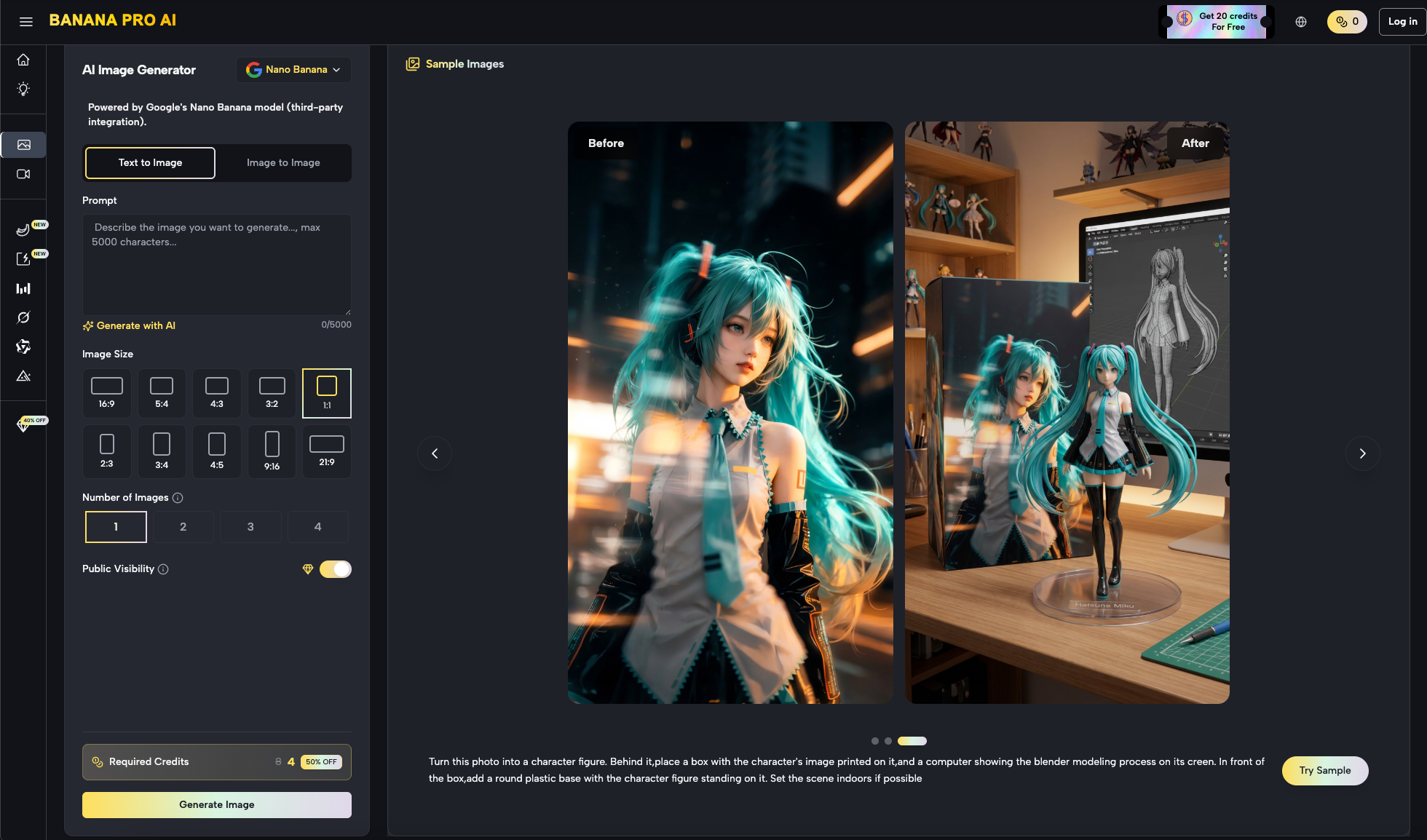
A robust workflow, such as the one found in Banana Pro, prioritizes a spatial canvas. On a canvas, the AI is just one tool in a larger kit. You might generate a background using Banana AI, then use an image-to-image process to refine a specific character, and finally use a video generator to bring it to life—all without leaving the environment.
When evaluating an AI Image Editor, ask whether the interface allows for non-linear editing. Can you drag and drop existing assets? Can you mask out sections and re-generate only the problematic areas? If the tool forces you to stay within a “prompt and pray” loop, it is an experimental toy, not a production-grade engine.
The Fidelity Escalation: When to Switch to Banana Pro AI
One of the most important skills for a modern creator is knowing when to stop using a “fast” model and move to a “deep” one. In the Banana Pro AI ecosystem, there is a clear distinction between the roles of different models.
Nano Banana is your sketchpad. It is where you find the composition, the color palette, and the general movement. It is the tool for high-volume experimentation. However, there is a “break point” where the limitations of a lightweight model become apparent—perhaps the facial features need more nuance, or the texture of a fabric needs to be more realistic.
This is the point where you escalate to the heavier Banana Pro model. By using the ecosystem for multi-stage refinement, you manage both your time and your creative credits more effectively. You don’t use the high-resource model to figure out if a character should be wearing a red hat or a blue one; you use the fast model for that. You reserve the high-fidelity engine for the “heavy lifting” of the final asset.
Uncertainty and the Limits of Generative Consistency
It is important to maintain a level of skepticism regarding the current state of generative media. No matter how advanced the models become, certain “hallucinations” and technical hurdles remain.
First, there is the ongoing challenge of temporal consistency in AI video. While we can generate stunning five-second clips, maintaining the exact same character features or background details over a longer sequence remains difficult. Creators should expect to perform manual cleanup or use clever editing cuts to hide these inconsistencies. If you are planning a long-form narrative, do not expect the AI to handle continuity perfectly on the first pass.
Second, prompt adherence is not a solved science. Even with sophisticated tools, models can struggle with complex spatial geometry—like a person standing “behind a glass table while holding a blue apple.” The AI might get two of those three elements right, but the spatial relationship between them is often a coin toss.
Lastly, exact text rendering within images is still hit-or-miss. While modern models are getting better at spelling, they often struggle with specific fonts or small, background text. If your asset requires precise typography, the best practice remains generating the visual base and adding the text manually in a traditional design tool.
Infrastructure Over Hype: Final Evaluation Criteria
When deciding whether to adopt a workflow centered on Nano Banana Pro, look past the gallery of beautiful examples. Instead, look at the infrastructure of the tool.
Does the platform offer a centralized hub for both images and video? Does it allow for “Seed” control so you can maintain some level of stylistic consistency across generations? Is the “time-to-usable-asset” lower than your current workflow?
For the indie maker, the goal is rarely to create the most “advanced” AI art possible. The goal is to finish the project. By prioritizing speed, spatial editing on a canvas, and a logical escalation from sketch to final render, you move from being a “prompter” to being an “operator.”
Future-proofing your creative stack means choosing tools that prioritize accessibility and workflow integration. The specific models will continue to evolve, but the need for a fast, reliable, and integrated workspace remains constant. Evaluate Nano Banana not just on what it creates, but on how much it stays out of your way while you create.