
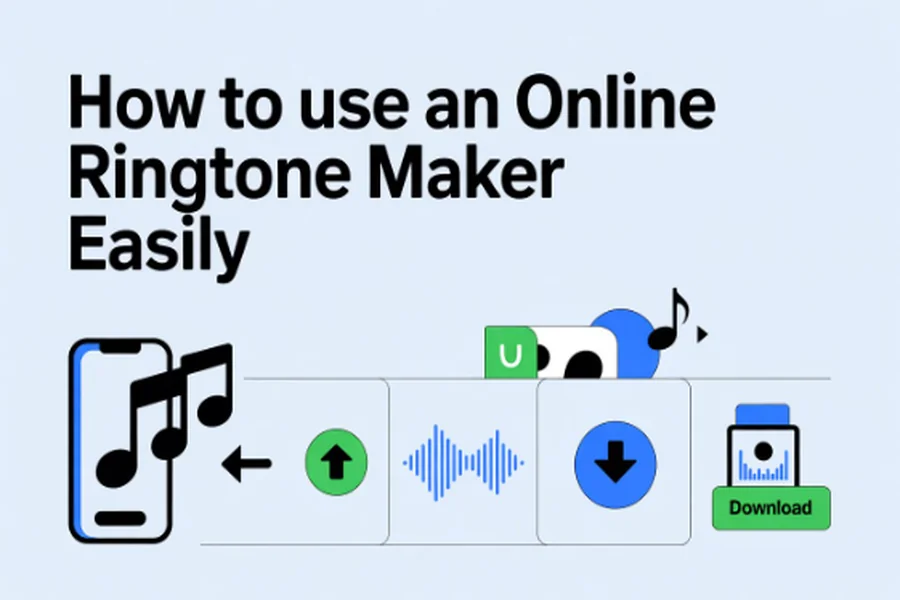
You don’t have to go through the torment of complex software and advanced editing skills anymore to make a customized ringtone. Just within minutes, you can make a ringtone that is uniquely yours using an Online Ringtone Maker.
If it is your favorite track that you want to play when your phone rings, or maybe you need a new and unique notification sound, or perhaps you want to make some fun audio clips – the whole thing is now so simple, quick, and anyone can do it. We will actually show you in this article how to use an Online Ringtone Maker step-by-step and thus have a great tone for your gadget.
Why Choose an Online Ringtone Maker?
The greatest thing about web-based ringtone generating tools is that they are extremely adaptable and comfortable. There is no need for you to be concerned with the downloading, installation, and incompatibility problems.
All of the work is done in your web browser. The majority of the tools can handle popular file formats like MP3, M4A, WAV, AAC, etc. So, you can take practically any audio or music file and make a ringtone out of it in a matter of seconds.
Another significant benefit is the option to cut, edit, and modify your sound file. A good number of web-based applications equally enable you to insert fade-in or fade-out effects, change the loudness level, and see a preview of the final result before saving it. With its feature, you can considerably shorten the area of the sound that you want to use from the track with just a few clicks.
How to Use an Online Ringtone Maker?
In case a person is aware of the process, creating a ringtone by means of an online ringtone maker is very easy and quick. The following is a straightforward tutorial that is suitable for most of the online instruments at present.
Step 1: Utilize a Reliable Online Ringtone Maker
Firstly, select a trustworthy online Ringtone Maker. Pick up the ones which facilitate different file formats, are without charge, and possess a few editing features. The usual common features provided include: audio trimming, volume control, and preview features.
Step 2: Upload Your Audio File
Once you open the tool there is an upload button that is waiting for you to click on it and choose your file. In case the file is huge, the uploading process might take longer than a few seconds but normally it’s very quick.
Step 3: Trim Your Audio Clip
You can trim your audio after uploading, to choose an exact segment you want as your ringtone. Drag the sliders or enter timestamps manually. Most phones support ringtones from 20–30 seconds, so feel free to adjust that.
Step 4: Apply Effects (Optional)
Most of the Ringtone Maker tools come with effects like fade-in, fade-out, speed adjustment, and volume improvement. These make your ringtone smooth and polished. Using the fade effects is very useful, especially at the start and end points of your ringtone clip.
Step 5: Preview the Edited Ringtone
Before downloading your file, preview the edited audio to make sure that the selected segment is clear and cut precisely.
Step 6: Download the Final Ringtone
It’s a download of your ringtone file that comes next after you are fully content with the preview. Besides, other instruments can present choices for file format changes at this point (for example, MP3 for Android or M4R for iPhone).
Step 7: Set the Ringtone on your Device
Once downloaded, you will have no problem setting the ringtone on your phone. For Android users, you go to Settings → Sound → Ringtone and then select the downloaded file. iPhone owners may need to transfer M4R files using Finder/iTunes.
Benefits of Using an Ringtone Maker
Some of the important benefits of an online ringtone maker include:
- No need to install a software: It keeps storage free and prevents security risks.
- User-friendly Interface: Designed for beginners and non-technical users.
- Free to Use Tools: Most of the tools available on many platforms are free to edit and download.
- Fast Processing: The conversion of audio to a ringtone compatible file is done in less than a minute.
- Works on Any Device: The tool can be used with Windows, Mac, tablets, and even smartphones.
Such advantages turn an online ringtone maker utility into a perfect tool for a mobile user who is eager to customize his/her mobile experience.
Tips to Get the Best Ringtone Output
Because of this, make sure your ringtone is professional and clear by following the following tips:
- Choose high-quality audio files for optimum performance.
- Keep the ringtone duration short for better compatibility.
- Avoid loud or distorted segments of songs.
- Make sure that the transition is smooth by using fade-in and fade-out effects.
- Preview before downloading always
These basic tips will enable you to make a neat and attractive ringtone which you can use every day.
Conclusion
Perhaps the most easy and fastest way to personalize your mobile phone is by using an online ringtone maker. Just with some cutting tools, optional audio effects, and instant file downloads, you can get a professional-quality ringtone even if you have no technical knowledge at all.
If it is a ringtone that grabs attention, a gentle notification sound, or even a customized alarm tone, the process becomes effortless and nice with online tools. You will probably find it hard to believe, but the first time you make a ringtone you will love how the whole process takes almost no time at all.
FAQs
1. Is it safe to use an Online Ringtone Maker?
Most of the time, online ringtone creator apps are considered to be safe when using, particularly those which don’t ask you to download anything or put in any of your personal information. But it is always a good idea to double-check that you are using trustworthy sites, as opposed to sketchy sites.
2. Can I create ringtones for both Android and iPhone?
Yes, the majority of Online Ringtone Maker tools provide the option to save your work in MP3 format for Android devices and in M4R format for iPhone.
3. Does using an Online Ringtone Maker require any editing skills?
No, they aren’t. These tools are designed for beginners. With basic drag-and-drop features and straightforward sliders, any user can make a ringtone in a matter of minutes.